

Admin API keys
Admin API keys are account-level credentials with broad permissions. Use them to authenticate requests to the Admin API, and optionally to the Application API from trusted server-side environments. Every account can create a maximum of 3 admin API keys from the integration page of the Trophy dashboard. Trophy keeps track of and displays when each admin API key in your account was created and when it was last used so you can easily keep track of usage.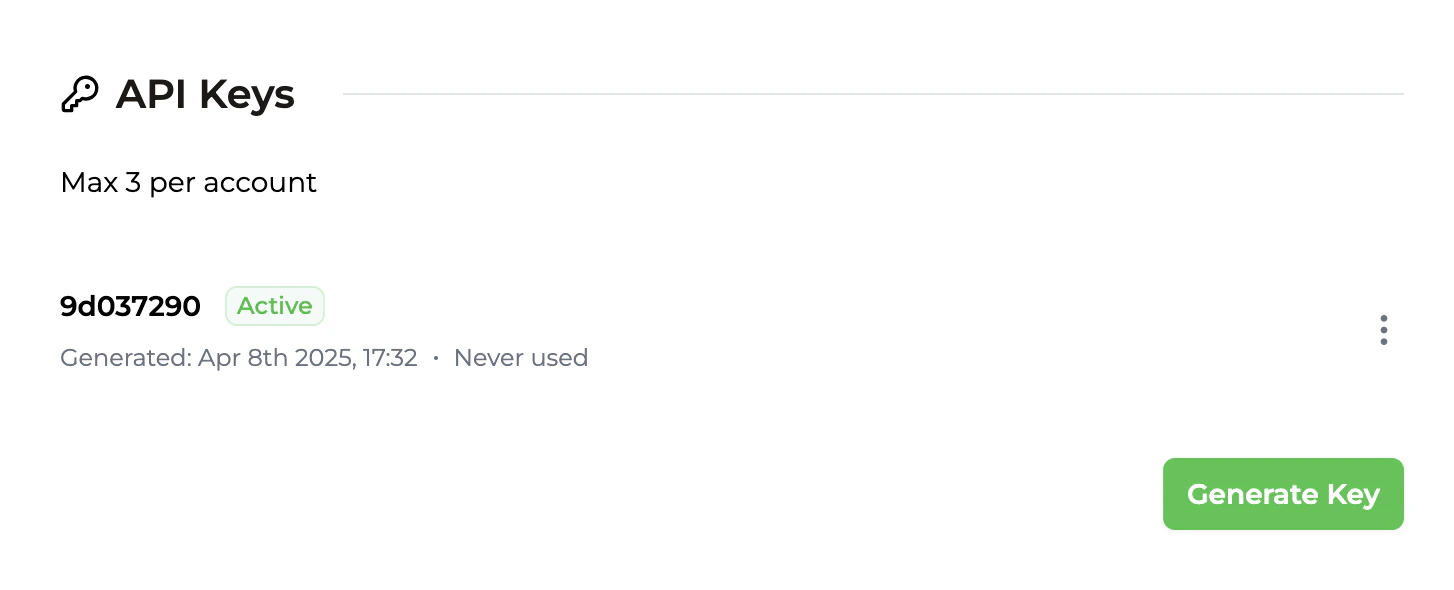
Anatomy of an admin API key
Each admin API key is made up of 2 parts separated by a period:- The prefix is the first 8 characters. It’s readable and will always stay the same so it’s easily recognisable.
- The body is the secret part, and is only shown to you once when you create the key.
When using the API, both parts of your admin API key must be sent in the
X-API-KEY header.Authenticating requests
When making requests to the Admin API, include both parts of your admin API key in theX-API-KEY header, or pass it when initializing an SDK client:
401 response code.
Managing admin API keys
There are a few different operations you can perform on admin API keys from within your Trophy dashboard to manage your integration.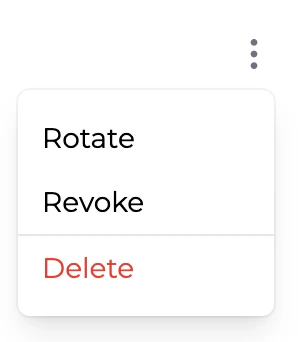
Rotating keys
Admin API keys can be rotated if you want to change them for any reason. At the point of rotation, the original API key will no longer function and any requests still using it will begin receiving401 responses immediately.
Note that when rotating keys, both the prefix and the body will change.
Revoking keys
Admin API keys can also be revoked entirely at which point they become Inactive. At the point of revocation, the API key will no longer function and any requests still using it will begin receiving401 responses immediately.
Once revoked you can re-activate the API key at any time.
Neither the prefix or the body of the key change when revoked or re-activated.